
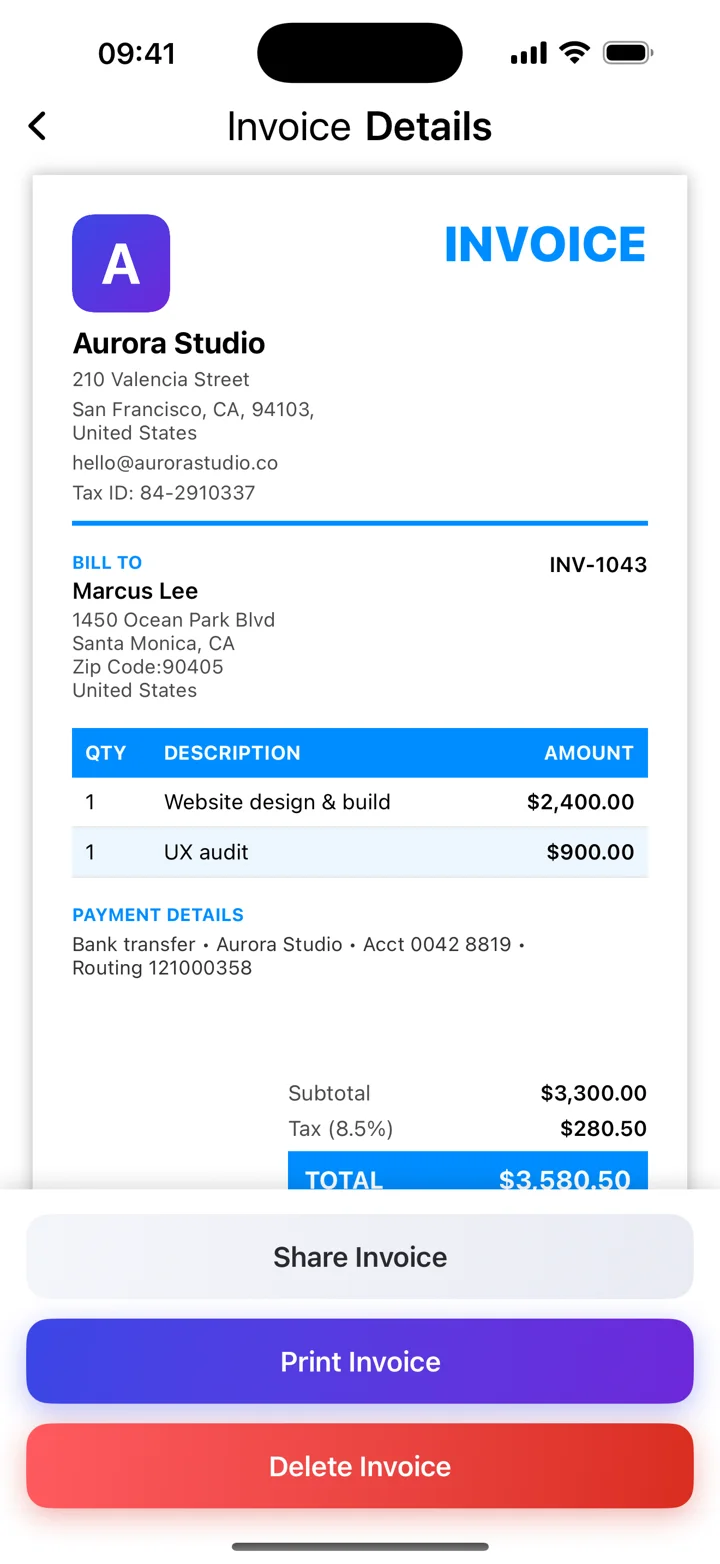
Create the invoice, then export the PDF
Start with the billing information, itemised work, totals, and payment instructions. Invoice Maker can generate a PDF you can save or share. A PDF is the output format; it does not add missing invoice information or validate tax treatment.
Before you press send
Open the PDF and check that text is readable, line items are complete, and the total and currency are clear. Use a descriptive filename such as INV-2026-014.pdf. Send it to the agreed billing contact with a subject that includes the invoice number.
Keep a reliable copy
Save the exact PDF you sent with your business records. If you need to correct an invoice, follow your local recordkeeping rules and make the change clear to your client. A revised invoice should not leave them guessing which version to pay.
PDF invoice or electronic invoice?
An ordinary PDF and a structured electronic invoice are different things. Some customers or jurisdictions require machine-readable formats or approved systems. Check the receiving requirements before treating a PDF as sufficient.
These guides explain everyday invoicing workflows. Examples are illustrative; check the rules that apply to your business and location.
Reference: GOV.UK — UK invoice requirements ↗